 Omnira
 Section reference › Showcase & media
Gallery "type": "gallery"
A masonry photo grid; clicking a photo opens it full size in a lightbox with captions and next/previous. Use it for portfolios, venues, events and projects.
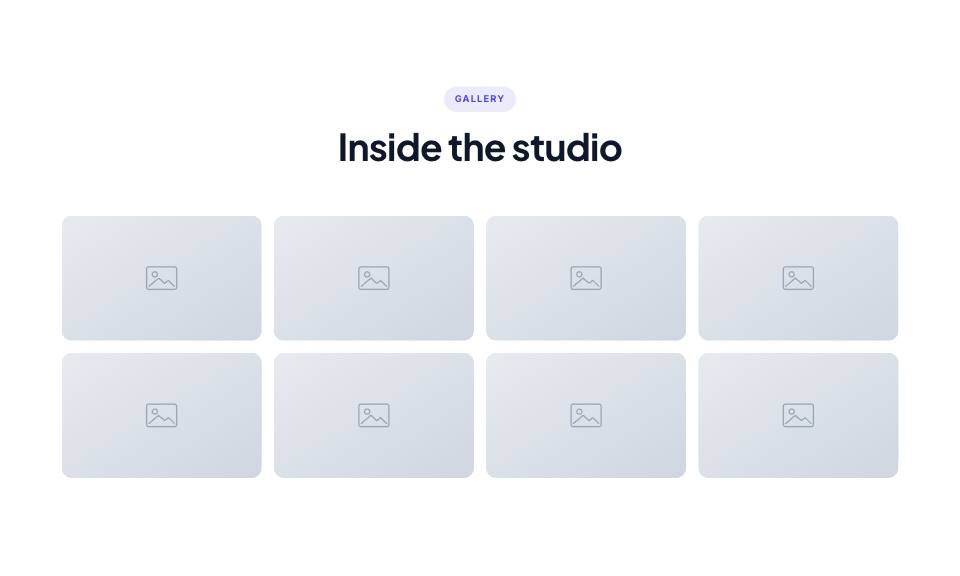
Example#
Paste this into the sections list of a page file:
JSON
{
  "type": "gallery",
  "eyebrow": "Gallery",
  "title": "Inside the studio",
  "columns": 4,
  "images": [
    {
      "image": "placeholder",
      "caption": "The main hall on opening night"
    },
    {
      "image": "placeholder",
      "caption": "Morning light in the reading room"
    },
    {
      "image": "placeholder",
      "caption": "Our workshop space"
    },
    {
      "image": "placeholder",
      "caption": "The rooftop terrace"
    },
    "placeholder",
    "placeholder",
    "placeholder",
    "placeholder"
  ]
}Options#
| Option | Type | Default | Description |
|---|---|---|---|
eyebrow | string | — | Small label shown above the title. |
title | string | — | Section heading. Simple inline HTML such as <em> or <br> is allowed. |
text | string | — | Short intro paragraph under the title. |
headAlign | string | center | Alignment of the eyebrow/title/text block. Any value other than "center" (e.g. "start") left-aligns it. Values: center | start |
images | array | — | Photos: plain image strings, or objects with a caption. |
columns | number | 4 | Columns on large screens (2 on phones, 3 on tablets). Values: 3 | 4 | 5 |
fullWidth | boolean | false | Stretch the grid edge to edge instead of inside the page container. |
Also accepts the options every section accepts: id, tone, padding, fluid, class, hidden.
Fields of each entry in images#
| Option | Type | Default | Description |
|---|---|---|---|
image | string | — | The photo. |
caption | string | — | Caption shown in the lightbox (also the alt text). |
Tips#
- Photos keep their own height (masonry), so mixing portrait and landscape shots looks natural.
- Give each gallery on a page its own "id" if you want separate lightbox groups to be easy to find in the HTML.
Where it's used#
Open these pages in template/ to see it working:
- Creative Agency:
template/creative-agency/careers.html(sourcesrc/demos/creative-agency/pages/careers.json) - Real Estate:
template/real-estate/careers.html(sourcesrc/demos/real-estate/pages/careers.json) - Corporate:
template/corporate/about.html(sourcesrc/demos/corporate/pages/about.json) - Law Firm:
template/law-firm/home-2.html(sourcesrc/demos/law-firm/pages/home-2.json) - SaaS Product:
template/saas/careers.html(sourcesrc/demos/saas/pages/careers.json) - Mobile App:
template/mobile-app/home-2.html(sourcesrc/demos/mobile-app/pages/home-2.json) - Tech Conference:
template/conference/gallery.html(sourcesrc/demos/conference/pages/gallery.json) - Online Academy:
template/education/home-2.html(sourcesrc/demos/education/pages/home-2.json) - Gym & Fitness:
template/gym/about.html(sourcesrc/demos/gym/pages/about.json) - Yoga Studio:
template/yoga/index.html(sourcesrc/demos/yoga/pages/index.json) - Day Spa & Salon:
template/spa/home-2.html(sourcesrc/demos/spa/pages/home-2.json) - Medical Clinic:
template/medical/about.html(sourcesrc/demos/medical/pages/about.json) - Dental Clinic:
template/dental/about.html(sourcesrc/demos/dental/pages/about.json) - Pet Care:
template/pet-care/gallery.html(sourcesrc/demos/pet-care/pages/gallery.json) - Car Dealer:
template/car-dealer/service.html(sourcesrc/demos/car-dealer/pages/service.json) - Travel Agency:
template/travel/gallery.html(sourcesrc/demos/travel/pages/gallery.json) - Photographer:
template/photography/album-sofia-daniel-lakeside.html(sourcesrc/demos/photography/pages/album.json) - Architecture Studio:
template/architecture/studio.html(sourcesrc/demos/architecture/pages/studio.json) - Portfolio:
template/portfolio/case-fieldnote-app.html(sourcesrc/demos/portfolio/pages/case.json) - Music Festival:
template/music-festival/gallery.html(sourcesrc/demos/music-festival/pages/gallery.json) - Fashion Store:
template/fashion-store/lookbook.html(sourcesrc/demos/fashion-store/pages/lookbook.json)