 Omnira
 Section reference › Real estate
Property comparison "type": "compare"
A side-by-side table comparing homes on price, size, rooms and more. Visitors pick homes with the compare button on property cards; until they do, the default homes are shown.
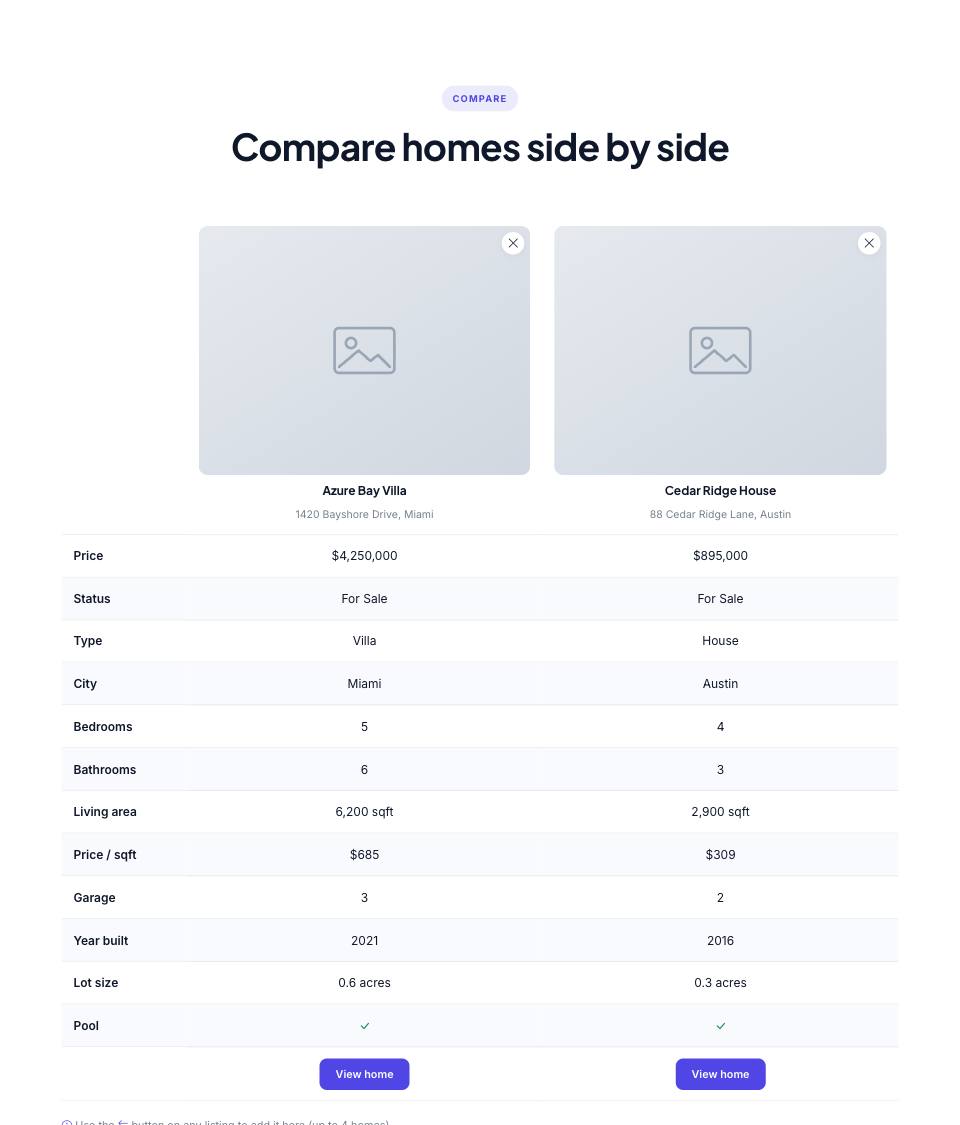
Example#
Paste this into the sections list of a page file:
JSON
{
  "type": "compare",
  "eyebrow": "Compare",
  "title": "Compare homes side by side",
  "defaults": [
    "azure-bay-villa",
    "cedar-ridge-house"
  ],
  "items": [
    {
      "slug": "azure-bay-villa",
      "title": "Azure Bay Villa",
      "type": "Villa",
      "status": "For Sale",
      "price": 4250000,
      "city": "Miami",
      "address": "1420 Bayshore Drive",
      "beds": 5,
      "baths": 6,
      "area": 6200,
      "garage": 3,
      "year": 2021,
      "lot": "0.6 acres",
      "features": [
        "Infinity pool",
        "Private dock"
      ],
      "image": "placeholder"
    },
    {
      "slug": "hudson-loft",
      "title": "Hudson Street Loft",
      "type": "Apartment",
      "status": "For Rent",
      "price": 6800,
      "period": "/mo",
      "city": "New York",
      "address": "211 Hudson Street",
      "beds": 2,
      "baths": 2,
      "area": 1450,
      "year": 1928,
      "features": [
        "Doorman",
        "Roof terrace"
      ],
      "image": "placeholder"
    },
    {
      "slug": "cedar-ridge-house",
      "title": "Cedar Ridge House",
      "type": "House",
      "status": "For Sale",
      "price": 895000,
      "city": "Austin",
      "address": "88 Cedar Ridge Lane",
      "beds": 4,
      "baths": 3,
      "area": 2900,
      "garage": 2,
      "year": 2016,
      "lot": "0.3 acres",
      "features": [
        "Pool",
        "Home office"
      ],
      "image": "placeholder"
    }
  ]
}Options#
| Option | Type | Default | Description |
|---|---|---|---|
eyebrow | string | — | Small label shown above the title. |
title | string | — | Section heading. Simple inline HTML such as <em> or <br> is allowed. |
text | string | — | Short intro paragraph under the title. |
headAlign | string | center | Alignment of the eyebrow/title/text block. Any value other than "center" (e.g. "start") left-aligns it. Values: center | start |
items | array | — | Every property that can be compared. In the real-estate demo: { "$data": "properties" } (all of them). |
defaults | array | the first 3 items | Slugs of the homes shown before the visitor has picked any. |
Also accepts the options every section accepts: id, tone, padding, fluid, class, hidden.
Fields of each entry in items#
| Option | Type | Default | Description |
|---|---|---|---|
slug | string | — | Unique id; the "View home" button links to property-<slug>.html. |
title | string | — | Property name. |
address | string | — | Street address. |
city | string | — | City. |
image | string | — | Photo. |
price | number | — | Price as a plain number, e.g. 895000 (shown as $895,000). |
period | string | — | Added after the price for rentals, e.g. "/mo". |
status | string | — | "For Sale" or "For Rent". Price per sqft is only shown for sales. |
type | string | — | e.g. "House", "Apartment", "Villa". |
beds | number | — | Bedrooms. |
baths | number | — | Bathrooms. |
area | number | — | Living area in sqft. Required. |
garage | number | — | Garage spaces. |
year | number | — | Year built. |
lot | string | — | Lot size, e.g. "0.3 acres". |
features | array | — | Feature list; the Pool row shows a tick if any feature contains "pool". |
Tips#
- In the real-estate demo use "items": { "$data": "properties" } so every home can be compared; the table then only shows the ones the visitor picked (saved in their browser, up to 4).
- Every item needs a numeric "area", otherwise the build stops with an error.
- The compare buttons that add homes live on property cards (the properties section) and on property detail pages.
Where it's used#
Open these pages in template/ to see it working:
- Real Estate:
template/real-estate/compare.html(sourcesrc/demos/real-estate/pages/compare.json)